
We are committed to making your financial experience at Florida State as convenient and manageable as possible. Through our partnership with Transact, students can pay for tuition, housing, health insurance, and dining in multiple installments, easing the financial burden of lump-sum payments. Below, you will find details about our payment plans, the sign-up process, and important information to help you navigate your options.
*Please note that payment plan options are limited in the summer. They are only available for tuition and can only be used during the first session of summer.
Available Payment Plans
1. Tuition Payment Plans
-
4-Part Plan: Divide your tuition into four smaller, manageable installments.
2. Housing Payment Plan
-
2-Part Plan: Divide your housing payment into two equal installments.
3. Dining Payment Plans
-
4-Part Plan: Spread your dining payments across four equal installments.
4. Health Insurance Payment Plans
-
4-Part Plan: Spread your health insurance payments across four equal installments.
Key Details
-
Each plan must be signed up for individually. If you need a payment plan for tuition, housing, health insurance, and dining, you must enroll separately for each one.
-
A $15 service charge applies to each plan you enroll in.
-
You have the option to enable automatic drafting for future payments, ensuring your installments are paid on time without the hassle of manual processing.
How to Sign Up
-
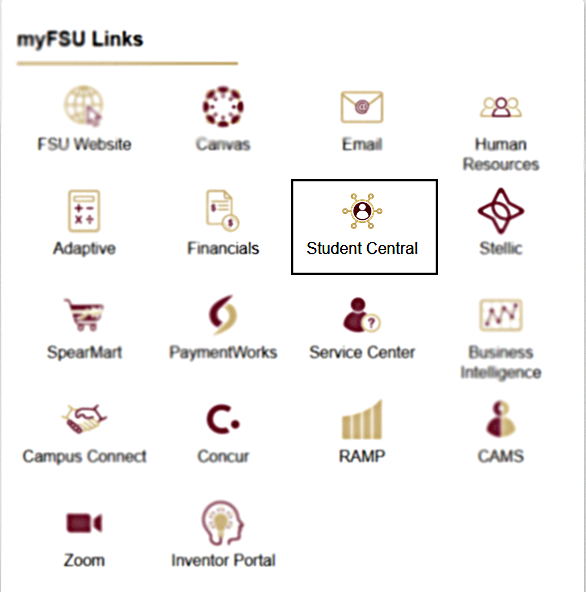
Log in to https://my.fsu.edu using your FSU credentials. Then, select Student Central under myFSU links.
Note: If you are a faculty or staff member, your experience will differ from the student point of entry. To access Transact as a faculty or staff member, navigate to the My Finances portlet in the myFSU portal and click Make a Payment.
-
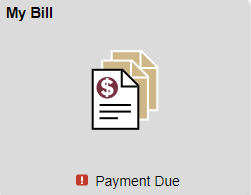
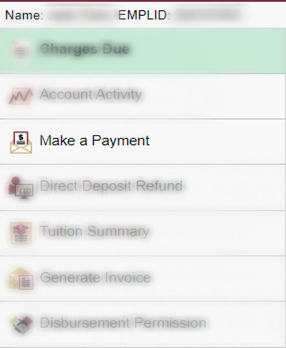
Select My Bill to enter your student financial account. Then, select Make a Payment to be redirected to Transact.
-
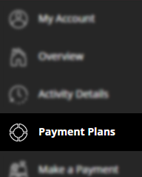
Select Payment Plans in Transact.
-
Choose the type of plan you wish to enroll in (Tuition, Housing, Health Insurance, or Dining). Then, select the number of installments (2-part or 4-part, where applicable). Select Enroll in Plan.
Note: If you owe a past due balance from the current or prior term, you will receive an error message that you cannot sign up for a current term payment plan until you have satisfied the prior term balance.
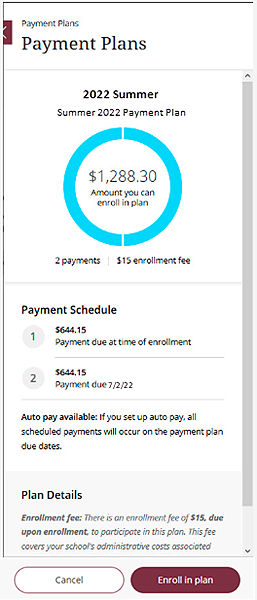
-
Review the plan details to confirm the total amount due and the installment schedule. Acknowledge the $15 service fee for the selected plan.
-
Add your preferred payment method (credit card, debit card, or bank account). Opt-in for automatic payment drafting, if desired.
Note: Payment plans cannot be paid by international wire.
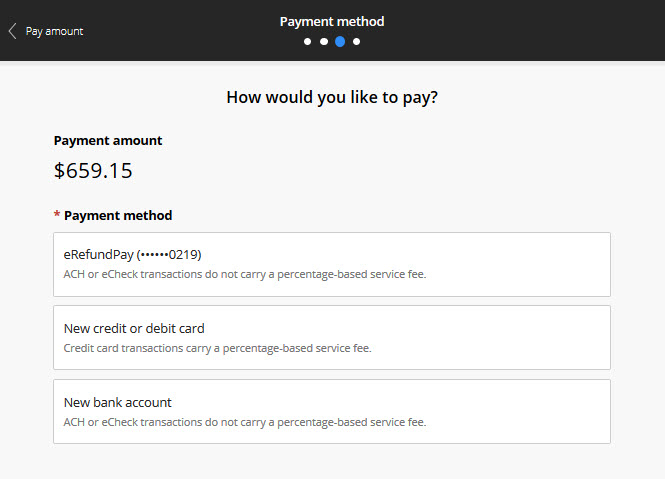
-
Submit your enrollment request and pay the first installment, including the service charge.
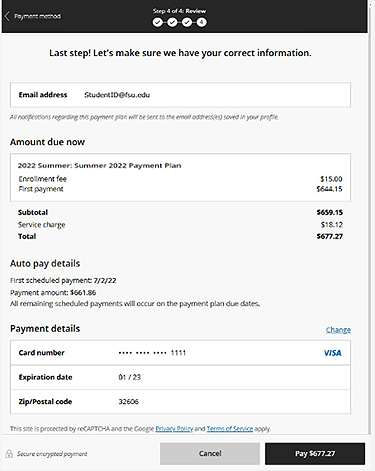
-
You will receive a confirmation email with your payment schedule.
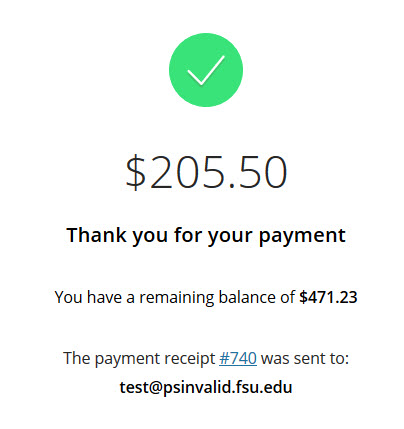
Important Reminders
-
Enrollment for each payment plan must be completed separately if you are using plans for tuition, housing, health insurance, and dining.
-
Payment plans are only available for current term charges.
-
The $15 service charge is non-refundable.
For additional questions or assistance with enrollment, please contact Student Finance at studentfinance@fsu.edu or visit our office during business hours in room A1500, University Center A.
Take advantage of these flexible payment options to better manage your finances while focusing on your academic success!