Making Payments using Transact
Transact allows students, faculty, staff, and guests to pay for charges on their accounts in the MyFSU Student Central system. Customers who can login to FSU's systems through https://my.fsu.edu will be able to pay through the Authenticated User process and customers who cannot login but who have a nine-digit Guest or Customer ID number will be able to pay through https://fees.fsu.edu.
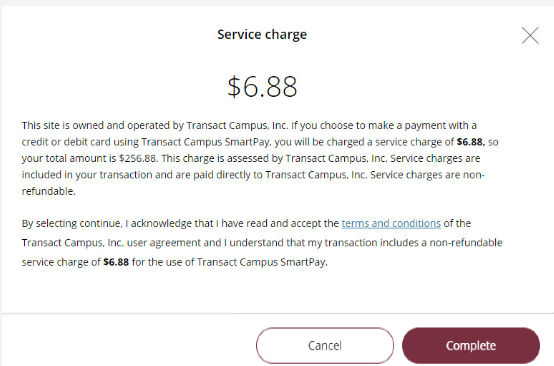
Transact accepts most major credit cards, ACH / Electronic Check, and International Wires through Western Union Business Solutions. Payments made by credit card will incur a 2.75% service fee for cards drawn on domestic bank accounts, and 4.25% service fee for international cards. ACH / Electronic Check transactions will not carry a service fee. Payments made by International Wire do not carry a service fee, but the student's bank may charge wire fees or other administrative costs.
Instructions
Make a Payment as an Authenticated User
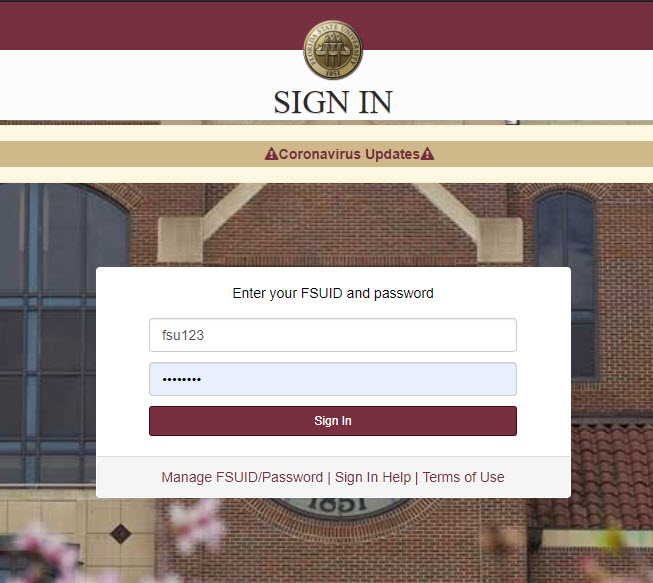
Step 1: Login to https://my.fsu.edu
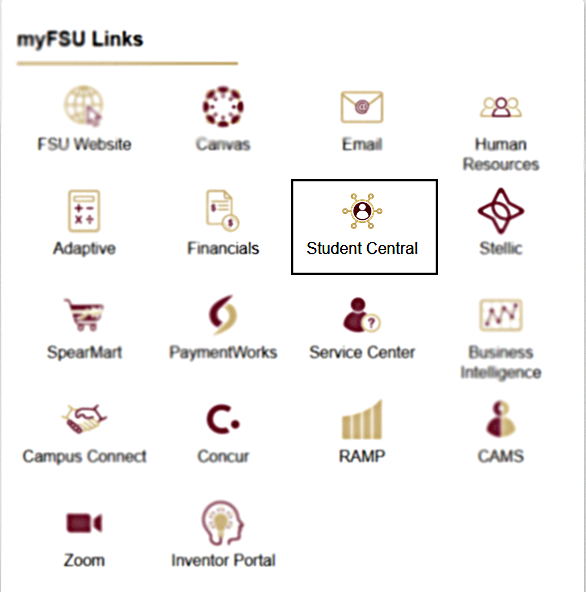
Step 2: Select "SC" to enter Student Central
Note: If you are a faculty or staff member, your experience will differ from the student point of entry. To access Transact as a faculty or staff member, navigate to the My Finances portlet in the MyFSU Portal and click "Make a Payment".
Step 3: Select "My Bill" to enter your student financial account

Step 4: Select "Make a payment" to be redirected to Transact
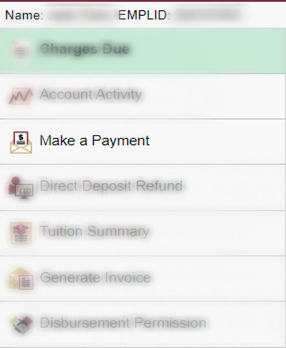
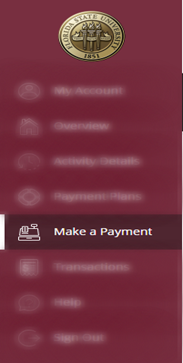
Step 5: Select "Make a Payment" in Transact
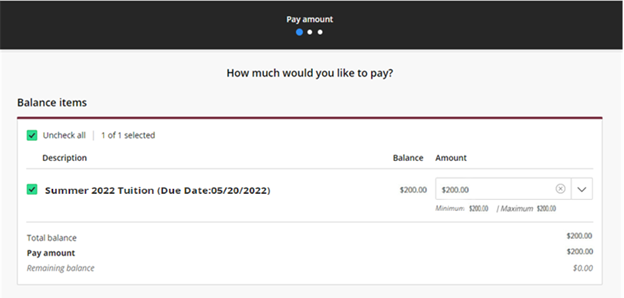
Step 6: For each charge category, select the amount(s) that you would like to pay
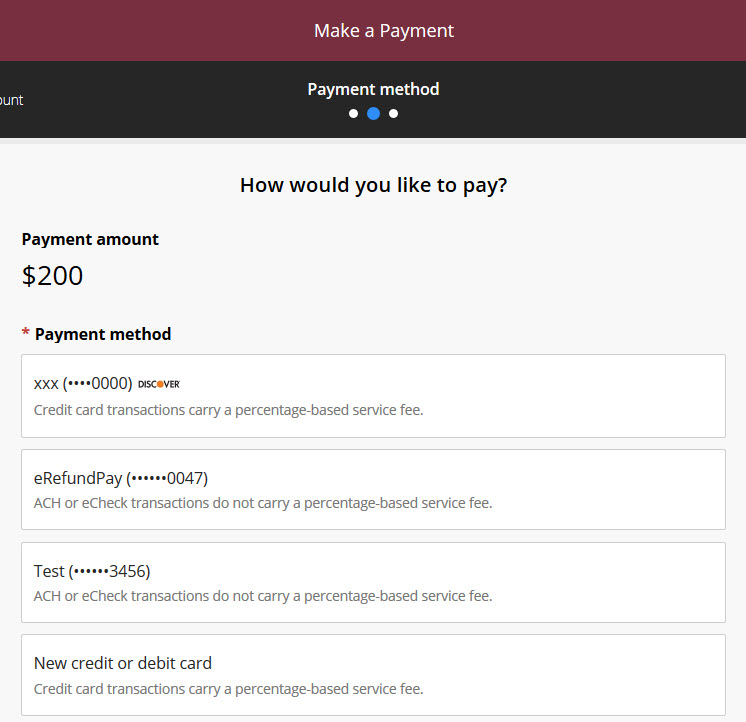
Step 7: Choose your payment option
If adding a new credit card or ACH option, you will be asked to enter your information on the next screen.
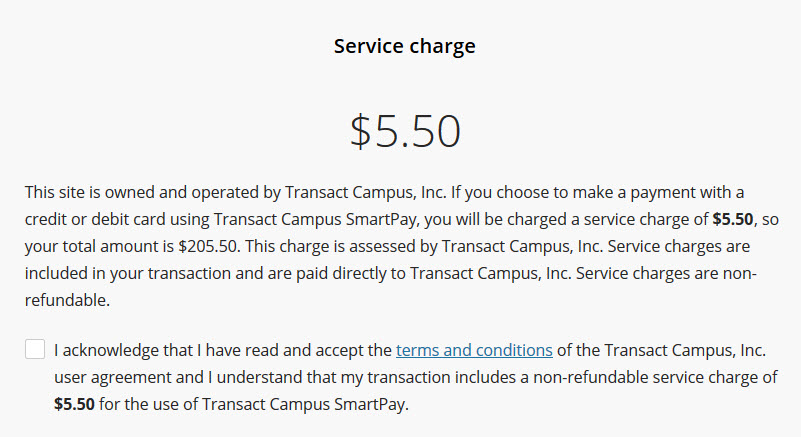
Step 8: If paying by credit card, acknowledge the service fee
Step 9: Payment confirmation
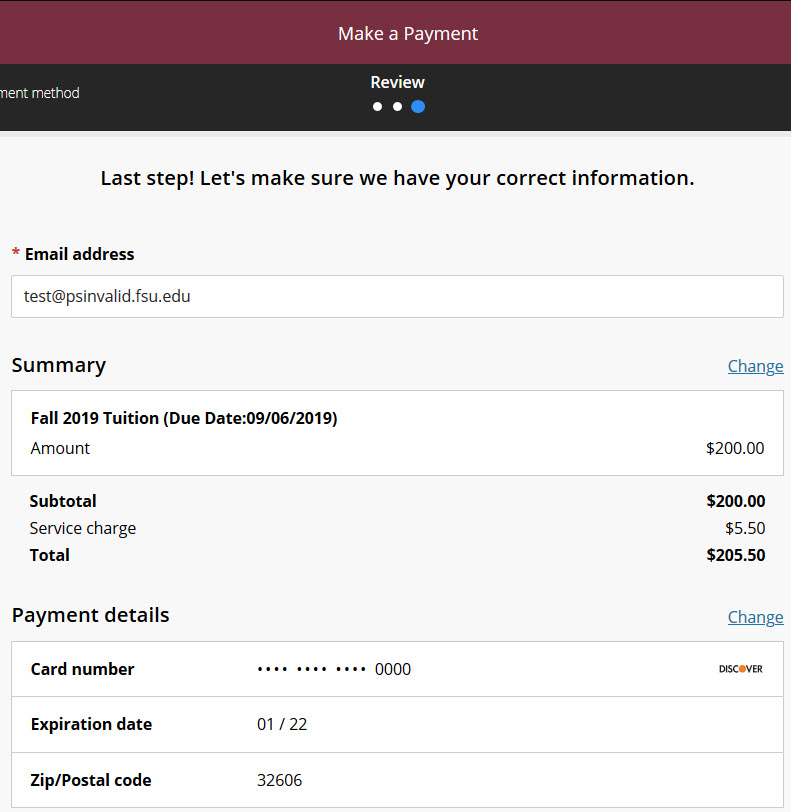
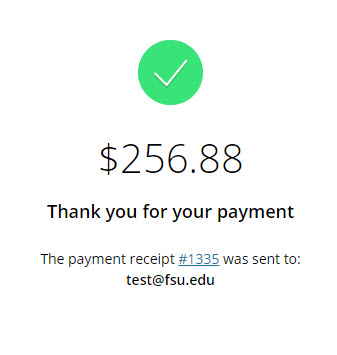
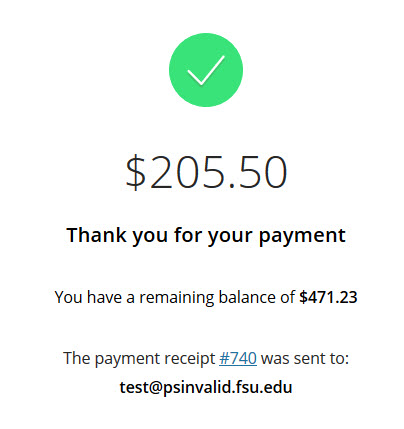
step 10: Success and receipt view
Make a Payment as a Guest
Guest users are able to pay for charges without authenticating into the MyFSU system but are not permitted to store payment data, select which charges they would like to pay, or pay for anything less than the total account balance.
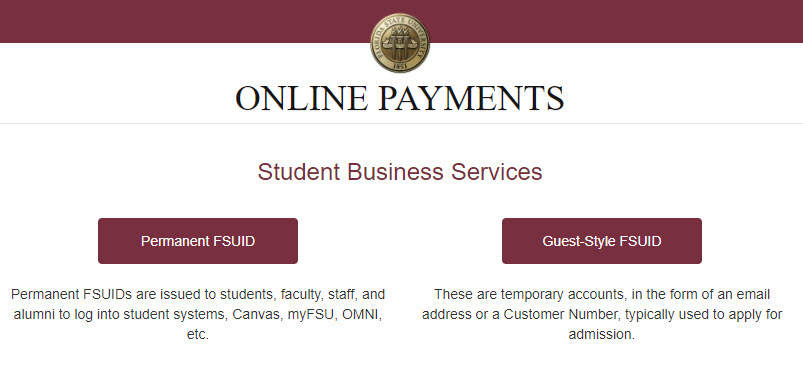
Step 1: Navigate to https://fees.fsu.edu and select "Guest-Style FSUID"
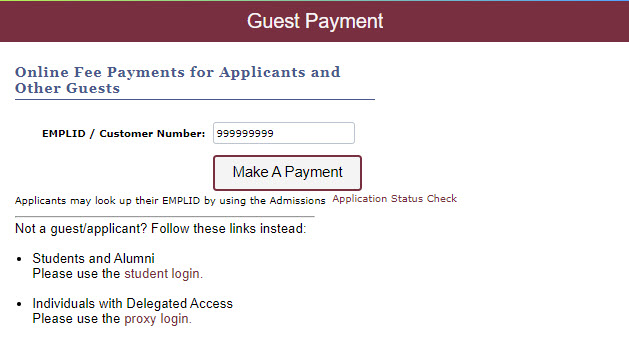
Step 2: Enter your 9-digit Guest ID number
Step 3: Select your payment method
Guests are not permitted to pay by International Wire or Stored Account.
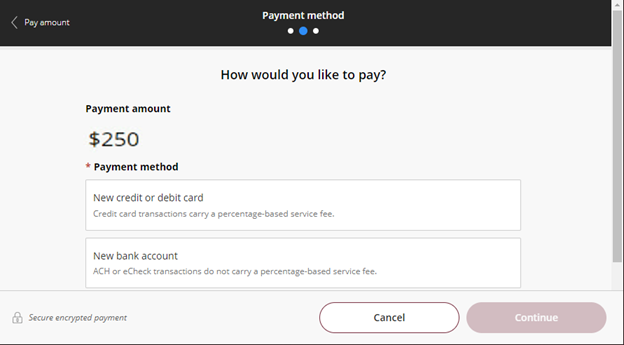
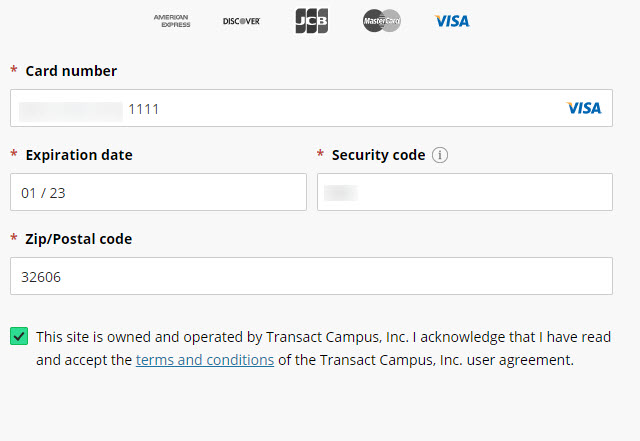
Step 4: Enter your card or bank account data
step 5: Acknowledge service fee if paying by credit card
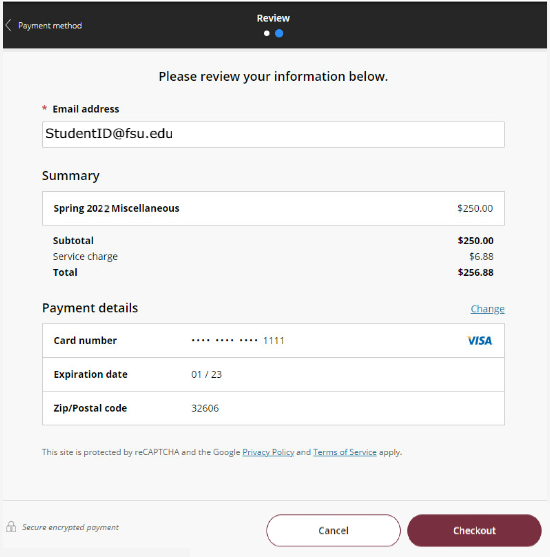
Step 6: Confirm your payment information and select "Pay"
Step 7: Success and Receipt